
>docs_engine.online

> Hosted docs.
MCP server.
Updating with your code._

Connect a GitHub repo, or roll several into a Product. Code Summary writes the docs and ships them as a hosted site on your own domain, a live MCP endpoint for your agents, and an in-dashboard chat for your team. All in sync on every push.

no_credit_card
free_forever_tier
mcp.live
> pipeline.init()

Generate. Publish. Connect.

One pipeline that writes your docs, ships a hosted site, and plugs straight into the agents you already use.

> generate

// AI writes docs on every push

Install the GitHub App, or upload a repo manually. Code Summary clones it, runs a premium model over the source, and produces architecture, API, and component docs, versioned and ready to review.

  • github_app_or_manual_upload
  • regenerates_on_push
  • versioned_history

> publish

// hosted site, your visibility

One click ships a hosted docs site at docs.codesummary.io/{owner}/{name}. Public, unlisted, or private. Optionally also push the same docs as a PR on the source repo.

  • fully_hosted
  • public_unlisted_private
  • optional_github_pr

> connect

// MCP endpoint per repo

Every repo gets a live MCP endpoint. Claude Code, Cursor, and any MCP-compatible client can query your docs as grounded context, gated by OAuth 2.1 + PKCE, with revokable per-client grants.

  • oauth_2.1_pkce
  • any_mcp_client
  • per_grant_revoke
> process.explain()

From repo to site to agents.

Four steps. No hand-written docs. No stale wiki.

01

> connect_repo

Install the GitHub App and pick repos, or upload a zipped repo manually if it lives outside GitHub.

02

> ai_writes_docs

A premium model analyzes your code and produces a versioned doc tree: architecture, APIs, components, and AI-agent context files.

03

> review_and_refine

Browse proposed changes, refine in the built-in editor, or set auto-publish if you trust the model on this repo.

04

> publish_and_connect

Ship a hosted docs site and a live MCP endpoint in one click. Optionally also open a PR on the source repo.

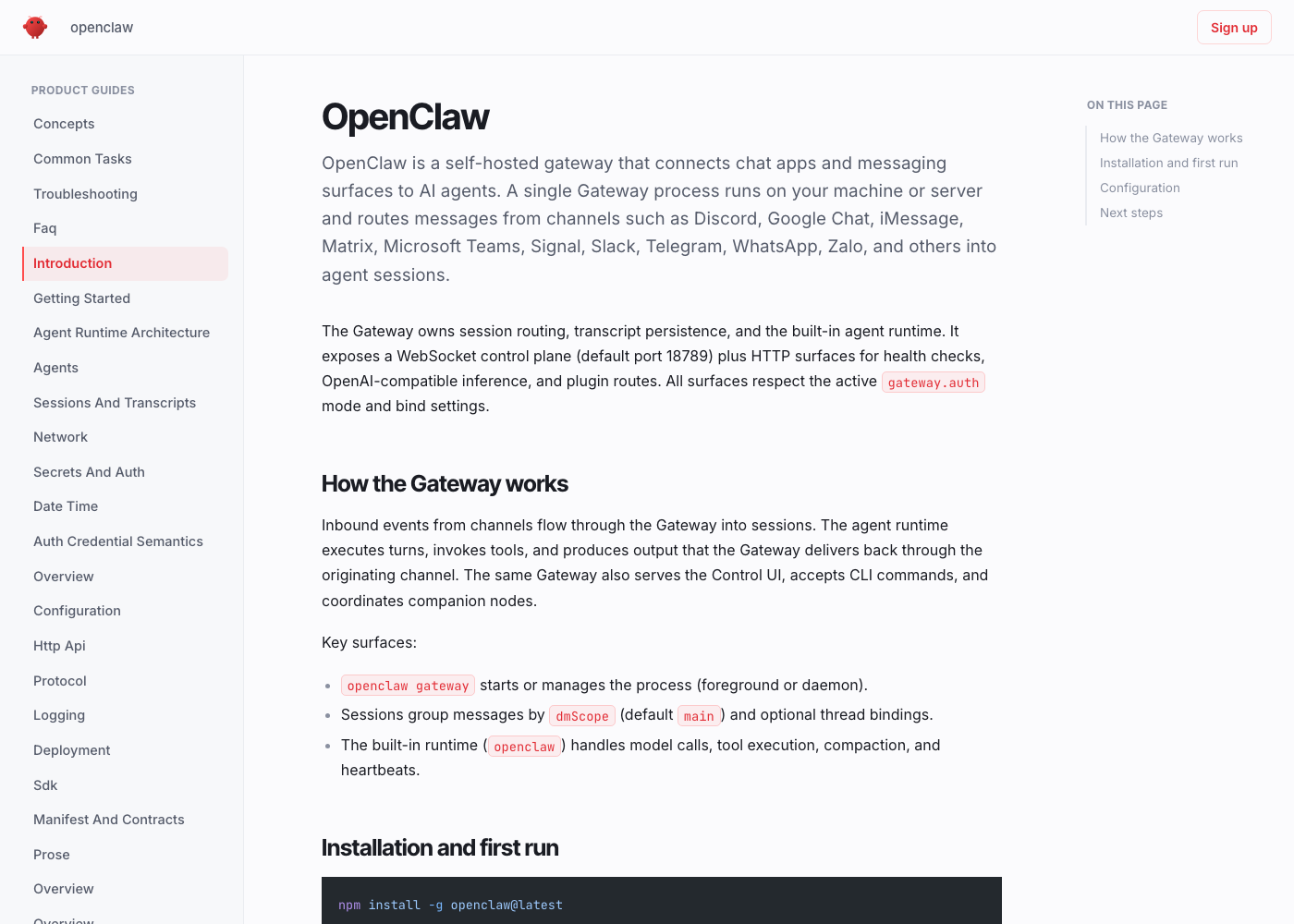
> hosted_docs.serve()

A real docs site, hosted for you.

Every published version ships as a fast, fully hosted site with a sectioned sidebar, auto-generated table of contents, syntax-highlighted code, and an “Edit on GitHub” link. No build, no deploy step on your side.

  • public_url: Each repo lives at docs.codesummary.io/{owner}/{name}.
  • visibility_modes: Public, unlisted (live URL, hidden from search), or fully private (team-only preview).
  • always_in_sync: Every push regenerates; publish manually or auto-publish per repo.
  • manual_upload: Don't use GitHub? Drop in a zipped repo and we'll generate and host the docs the same way.
docs.codesummary.io/acme/api-server
documentation
overview
architecture
api_reference
deployment
ai_agent
AGENTS.md
agent_context.md
v 7published 2m ago

System Architecture

A modular monolith with clear domain boundaries. Services communicate over an internal event bus.

API Layer

REST endpoints under src/api/routes with auth, rate limiting, and validation middleware.

export const routes = Router()
mcp_endpoint
live
> url
https://docs.codesummary.io/acme/api-server/mcp
> auth
OAuth 2.1 + PKCEor public agent toggle
> clients
Claude CodeCursorany MCP client
> active_grants
claude_codejerrod@cavanex.com
used 4m ago
cursor_ideteam workstation
used 1h ago
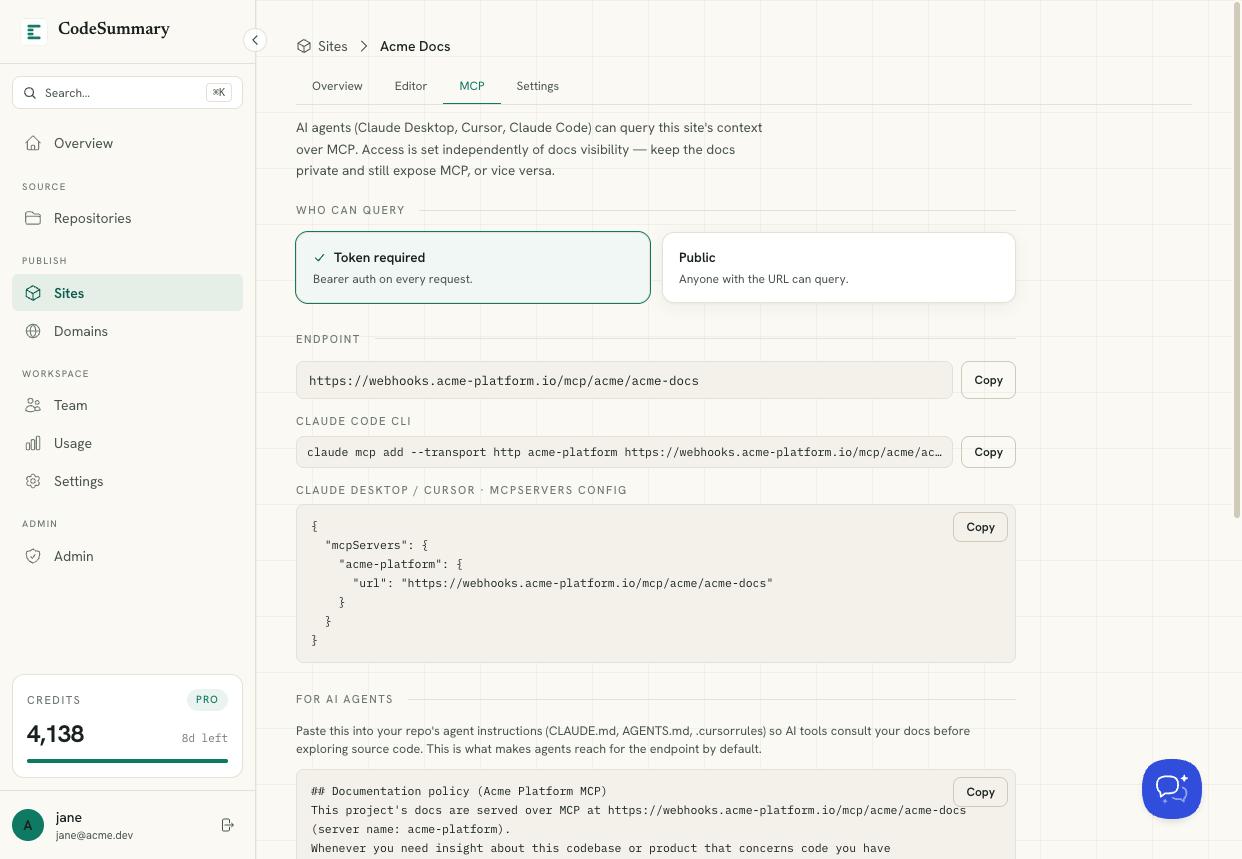
> mcp.connect()

Your docs are an MCP server.

Every repo gets a live endpoint. Point Claude Code, Cursor, or any MCP client at it and they query your published docs as grounded context. No copy-pasting agent rules, no stale snippets.

  • one_url_per_repo: Add it to your client's MCP config and start querying.
  • oauth_2.1_pkce: Standards-based auth on private repos. Flip a switch to allow public agents on open-source ones.
  • grounded_in_published: Agents see the same reviewed, versioned docs your team reads. No drift between humans and bots.
  • revokable_grants: Every authorized client is listed; revoke any of them with one click.
> products.bundle()

Bundle repos into a Product.

Most real software is more than one repo. Roll several together into a Product and Code Summary treats them as one doc base, with its own hosted site and its own MCP endpoint. The same engine produces three different lenses on the same code.

  • multi_repo_rollup: One Product, many repos. Add or remove members at any time and the doc base re-renders.
  • own_hosted_site: A separate URL from the individual repo docs, mappable to your own domain.
  • own_mcp_endpoint: Agents query the whole Product as a single source. One config entry, every member repo.
  • three_output_styles: Technical docs, a high-level platform overview for non-technical readers, and API specs (internal, external, or both).
apex_platform
// product · 4 repos · v 12
live
> member_repos
api-server
ingest-worker
web-client
shared-types
> outputs
technical_docsdeep dive, per-repo
platform_overviewhigh-level, non-technical
api_spec
internalexternal
site:docs.codesummary.io/apex
mcp: docs.codesummary.io/apex/mcp
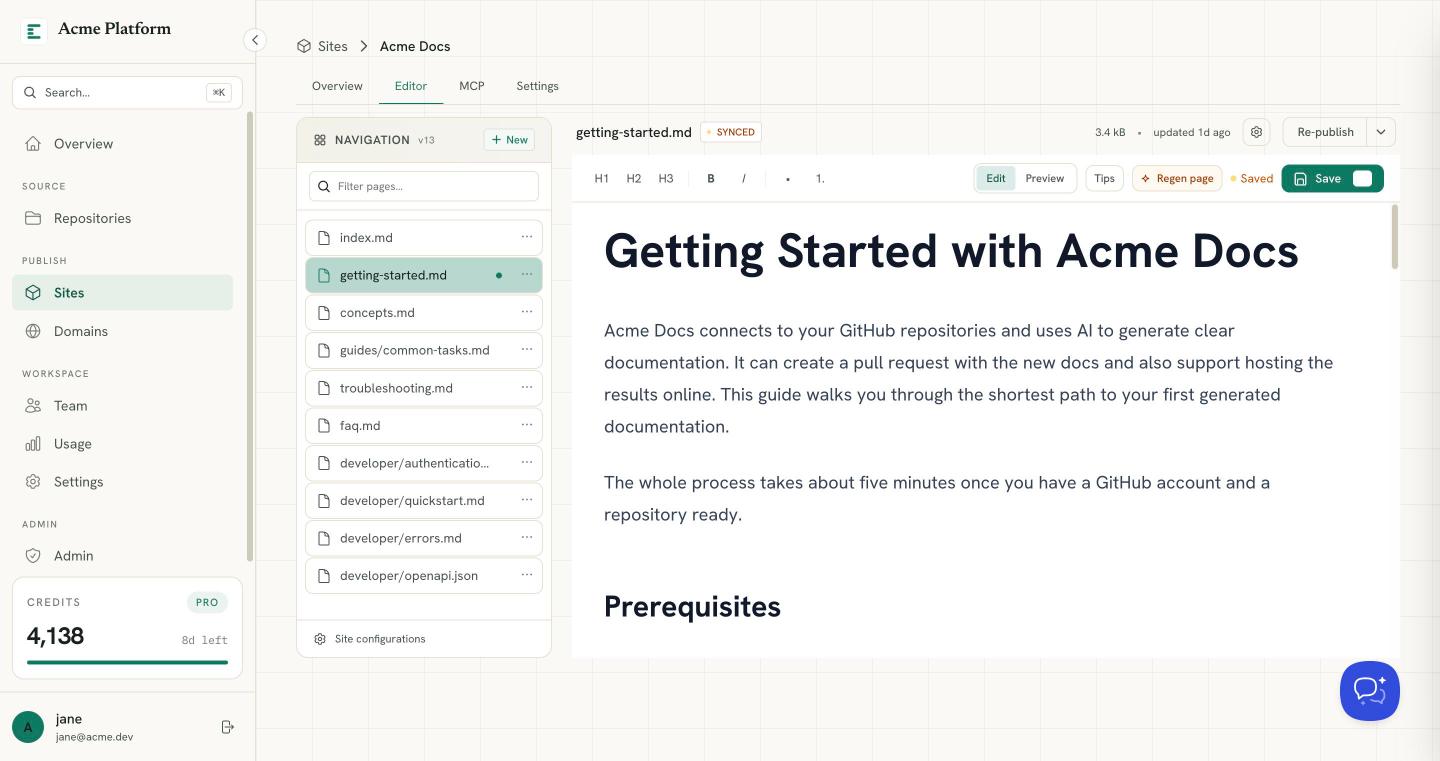
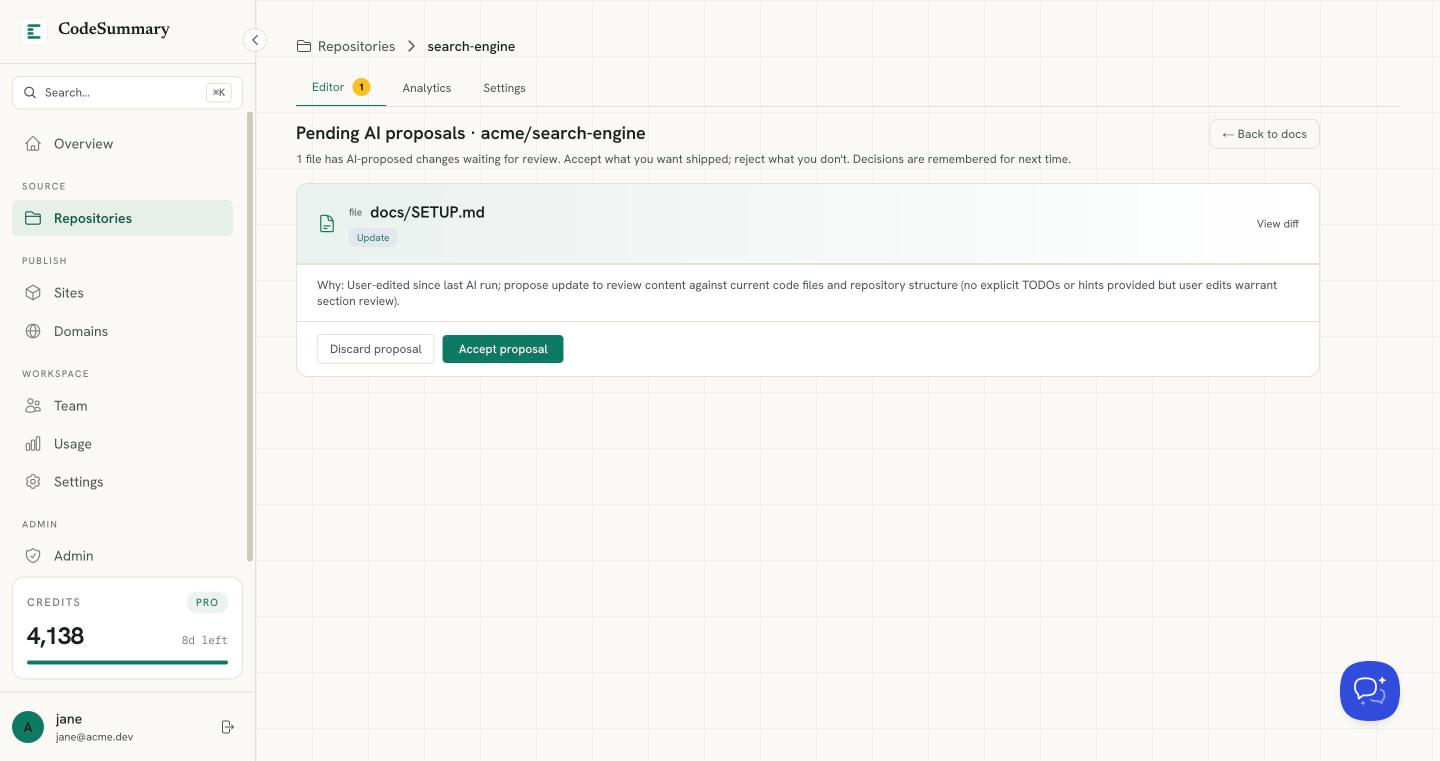
> editor.open()

AI drafts. You approve.

Don't want a fully autonomous loop? Open any file in our built-in editor, refine the content with slash commands, and publish to the hosted site, as a GitHub PR, or both.

  • wysiwyg_editor: Headings, lists, code blocks, tables, and inline formatting, on top of your generated markdown.
  • slash_commands: Type / to drop in headings, code blocks, tables.
  • ai_refine: Highlight a section and ask the model to rewrite, expand, or summarize it.
  • publish_anywhere: Hosted site, GitHub PR, or both, with one click.
architecture.md
api-reference.md
Unsaved
Save⌘S
H1H2H3BI1.</>"

System Architecture

The application follows a modular monolith pattern with clear domain boundaries. Services communicate through an internal event bus.

API Layer

REST endpoints defined in src/api/routes with middleware for auth, rate limiting, and validation.

typescript
export const routes = Router() .get('/health', healthCheck)
|Type / for commands
> publish_to:
HostedGitHub PRBothrec
> chat.with(codebase)

Chat with your codebase.

The same docs that power the hosted site and the MCP endpoint power an in-dashboard chat. Ask questions by text or voice, jump between repos, and get answers grounded in your actual published docs.

  • text_or_voice: Type when you're heads-down, speak when you're thinking out loud.
  • cross_repo: Discuss features that span frontend, backend, and infra in one conversation.
  • cited_answers: Responses link back to the exact doc files and sections they came from.
codebase_chat
ready
> you
"Where would I add Slack notifications when a deploy finishes?"
> codebase
"Your webhook handler lives at api/webhooks, and there's already a notification service at lib/notify.ts. Add a Slack adapter there and wire it from the webhook."
architecture.mdapi-reference.md
> pricing.plans()

Simple, transparent pricing.

Start free and scale as you grow. No credit card required.

> free

// perfect for trying it out on a personal project.

$0
  • solo_use_only
  • unlimited_repositories
  • 10_credits_/_month
  • hosted_docs_site_(public)
  • mcp_endpoint_(public_agent_access)
  • auto-update_on_every_push
  • standard_ai_model
  • codebase_chat_(2_min_trial)
  • manual_repo_upload
Get started

> pro

// for developers who need real visibility controls.

$29/month
  • solo_use_only
  • unlimited_repositories
  • 250_credits_/_month
  • 750_bonus_credits_on_signup
  • hosted_docs_(public,_unlisted,_or_private)
  • custom_domain_on_hosted_docs
  • mcp_endpoint_with_oauth_+_revokable_grants
  • products:_bundle_multiple_repos
  • premium_ai_model
  • codebase_chat_(50_min_/_month)
  • manual_repo_upload
  • priority_email_support
Get started
> recommended

> teams

// for organizations that ship docs and agents together.

$199/month
  • unlimited_team_members
  • unlimited_repositories
  • 1,500_credits_/_month
  • 3,000_bonus_credits_on_signup
  • hosted_docs_(all_visibility_modes)
  • custom_domain_on_hosted_docs
  • mcp_endpoint_with_per-team_grants
  • products:_bundle_multiple_repos_with_their_own_site_+_mcp
  • api_spec_exports_(internal,_external,_or_both)
  • premium_ai_model
  • codebase_chat_(300_min_/_month)
  • manual_repo_upload
  • priority_support
Get started
> faq.list()

Frequently asked questions.

?How does Code Summary access my code?

Install the Code Summary GitHub App and grant access to the repos you want documented. We clone, read, and generate docs. We never store your source code beyond the run. You can also upload a zipped repo manually if you don't use GitHub.

?Where do my docs actually live?

On a fast hosted site at docs.codesummary.io/{owner}/{name}, or on your own domain. Each published version comes with a sectioned sidebar, table of contents, syntax-highlighted code, and an "Edit on GitHub" link.

?Can I keep docs private?

Yes. Each repo can be public, unlisted (live URL but hidden from search engines), or fully private (only your team can read them through the dashboard).

?How does the MCP endpoint work?

Every repo gets a live MCP URL. Add it to Claude Code, Cursor, or any MCP-compatible client and the agent can query your published docs as grounded context. Private repos use OAuth 2.1 + PKCE; on open-source repos you can flip a switch to allow public agent access. Every authorized client is listed and revokable.

?Can I document a multi-repo product?

Yes. Roll several repos into a Product and Code Summary treats them as a single doc base, with its own hosted site and its own MCP endpoint. You can generate technical docs, a high-level platform overview for non-technical readers, and API specs (internal, external, or both) from the same source.

?How often are docs updated?

On every push to your default branch. Review the proposed changes in the dashboard and click Publish, or turn on auto-publish per repo if you want zero-touch updates.

?How are credits used?

Documentation generation uses 1 credit per run. Codebase chat uses 5 credits per minute (billed by the minute). Free tier includes 10 credits/month plus a 2-minute chat trial. Pro and Teams plans include more credits and dedicated chat minutes.

> ready.toShip()

Ship docs your team and agents actually use.

Connect a repo. Get a hosted docs site and a live MCP endpoint in under five minutes.